

Skills 存储路径与优先级
Claude Code 从以下两个位置识别 Skills:
| 级别 | 路径 | 作用范围 | 适用场景 |
|---|---|---|---|
| 项目级 | 项目根目录/.claude/skills/ | 仅当前项目 | 团队共享、项目专属工具 |
| 全局级 | ~/.claude/skills/ | 本机所有项目 | 个人常用工具 |
Windows 路径对照:
| 写法 | 实际路径 |
|---|---|
~/.claude/skills/ | C:\Users\用户名\.claude\skills\ |
| 示例 | C:\Users\user123\.claude\skills\ |
优先级规则:
项目级 > 全局级,同名 Skill 优先使用项目级版本。
安装方法总览
| 方法 | 命令/操作 | 默认级别 | 难易度 | 适用场景 |
|---|---|---|---|---|
| 官方市场安装 | /plugin install <name>@claude-plugins-official | 全局 | ⭐ 最简单 | 官方收录的 Skill |
| 第三方市场安装 | 先添加市场,再安装 | 全局 | ⭐⭐ 简单 | 社区 Skill |
| npx CLI 安装 | npx <skill名> skills install | 项目级 | ⭐⭐ 简单 | Skill 提供专用 CLI |
| npx skills add | npx skills add <作者>/<仓库> | 全局(通用版) | ⭐⭐ 简单 | 通用万能安装 |
| 手动下载复制 | cp -r / xcopy | 手动指定 | ⭐⭐⭐ 中等 | 离线、自定义 |
| Git Submodule | git submodule add | 项目级 | ⭐⭐⭐⭐ 进阶 | 团队协作、版本锁定 |
方法详解
1. 插件市场安装(官方市场)
原理: Anthropic 官方市场
claude-plugins-official在 Claude Code 启动时自动加载,直接从中安装。
完整流程:
# 1. 浏览可用插件/plugin
# 2. 安装插件(以 GitHub 集成为例)/plugin install github@claude-plugins-official
# 3. 安装其他 Skill(以 WebSearch 为例)/plugin install websearch@claude-plugins-official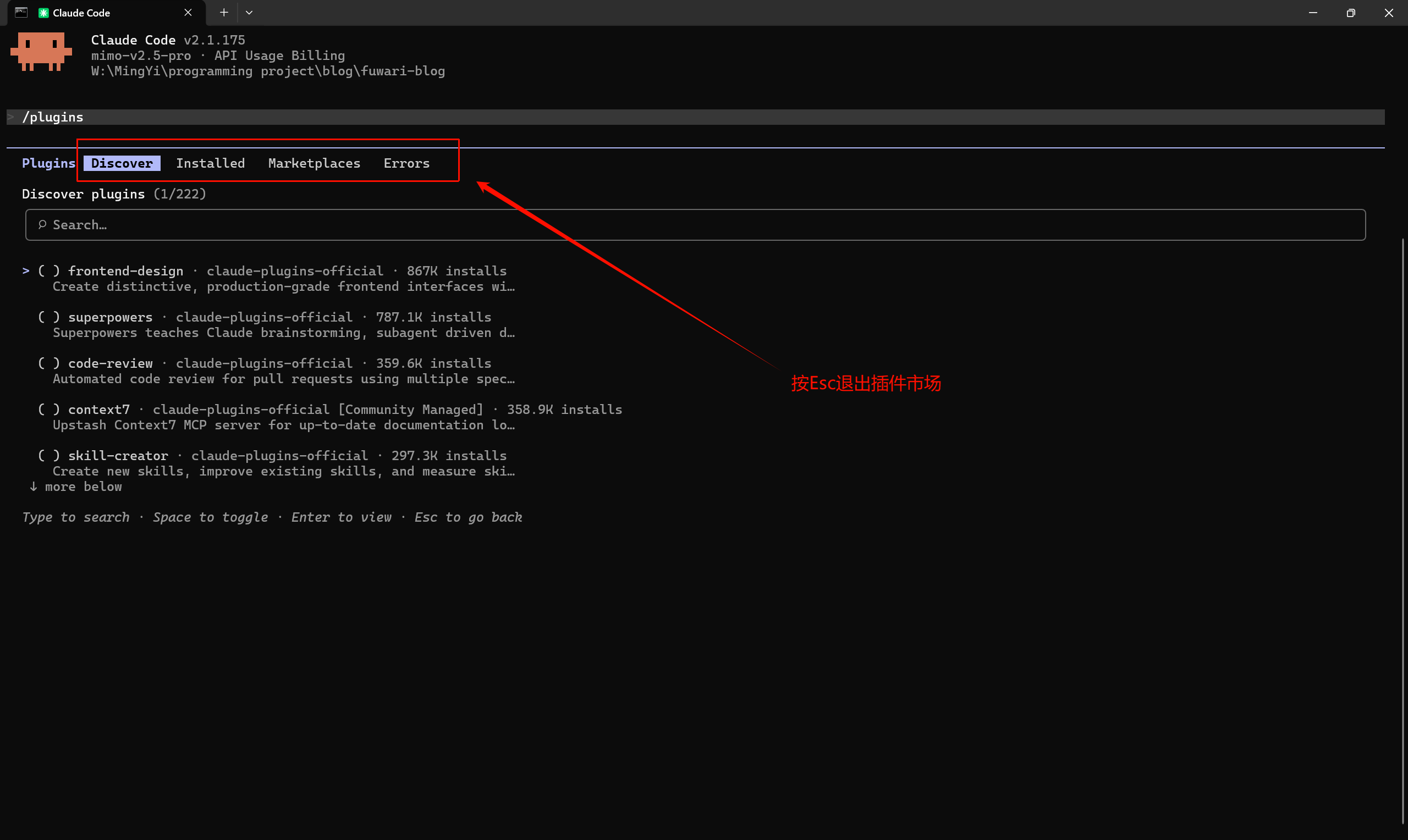
市场维护命令:
# 更新市场(插件列表过期时执行)/plugin marketplace update claude-plugins-official
# 重新添加市场(市场缺失时执行)/plugin marketplace add anthropics/claude-plugins-official官方市场常用 Skill: 访问Plugins for Claude Code and Cowork | Anthropic
2. 插件市场安装(第三方市场)
原理: 先添加第三方市场源,再从中安装。适用于社区维护的 Skill。
完整流程(以 Impeccable(前端规范skill) 为例):
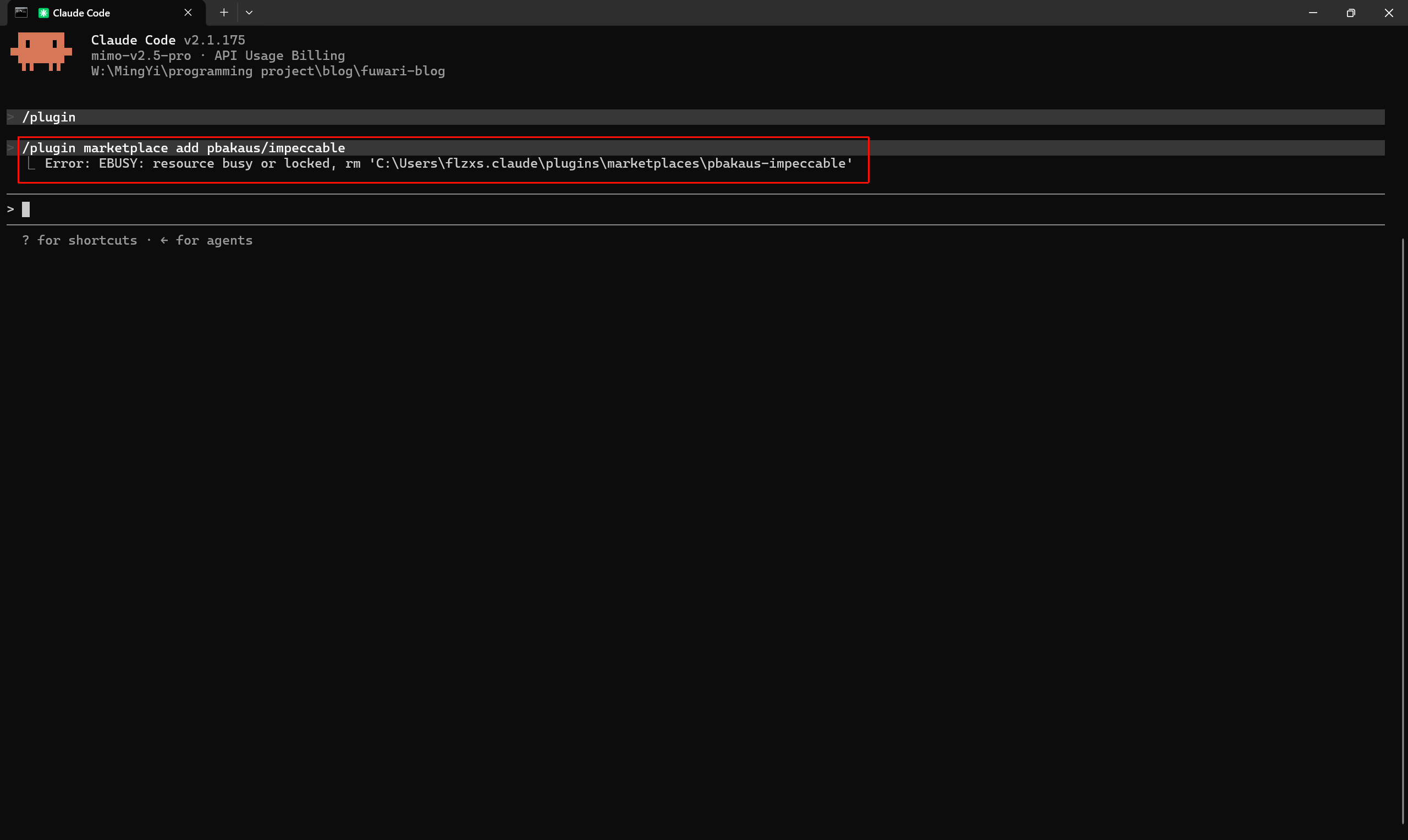
# 1. 添加第三方市场/plugin marketplace add pbakaus/impeccable
# 2. 从市场安装/plugin install impeccable@pbakaus-impeccable尝试安装,文件被占用:第三方插件市场显示git线程占用pbakaus-impeccable文件夹:
完全退出 Claude Code → 重新启动终端 → 重试。若仍失败:Ctrl+Shift+Esc打开任务管理器:性能->资源监视器->CPU->关联的句柄输入被占用的文件夹或文件名->右键结束进程
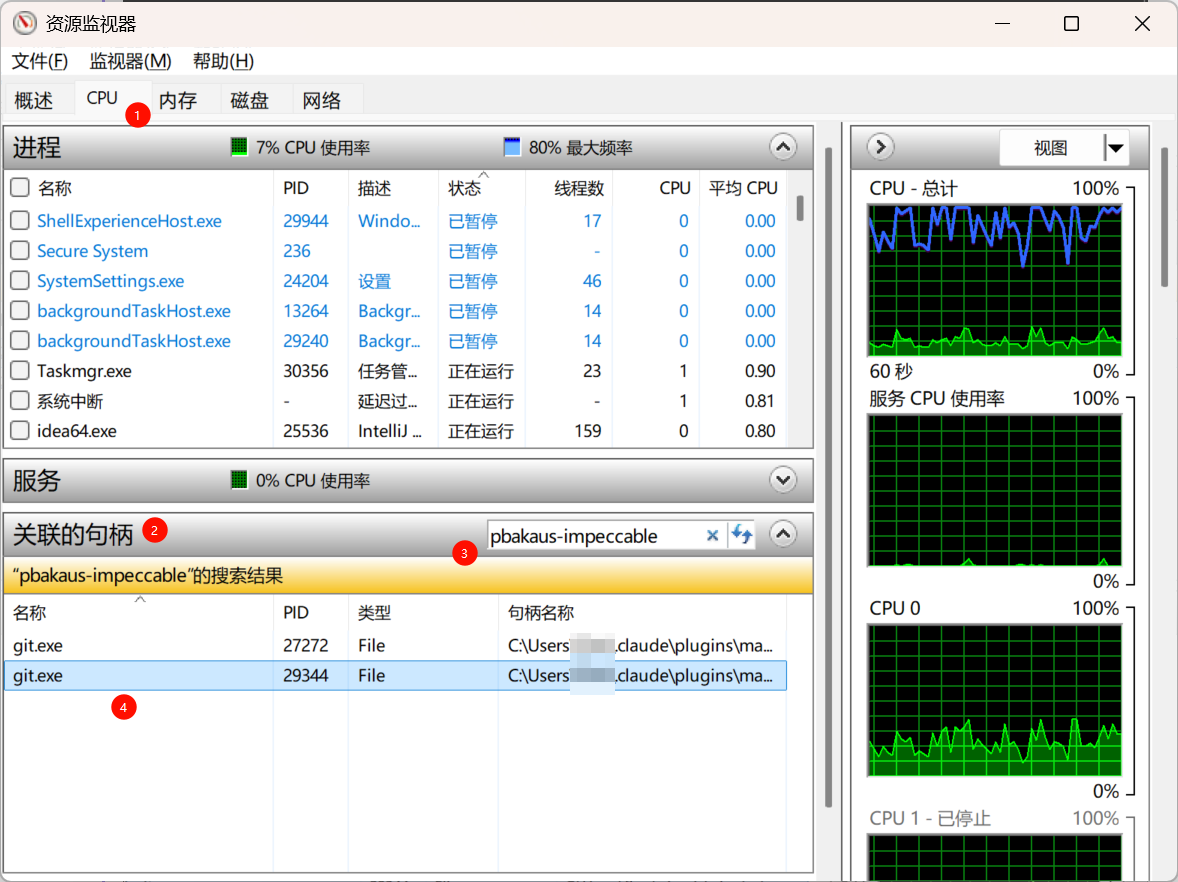
- 此方法好像没用,再次执行指令还是会显示上述图片中的错误,只能尝试其它方式安装skill。
3. npx CLI 一键安装
原理: 部分 Skill 提供专用 CLI 安装器,自动检测 AI 工具类型(Claude Code / Cursor / Gemini CLI 等),写入正确位置。
完整流程(以 Impeccable 为例): 具体安装指令以官方提供为准,原理都一样。
# 在项目根目录执行npx impeccable skills install- 显示解压失败: Windows 系统没有内置
unzip命令,但是zip文件被下载到了用户目录

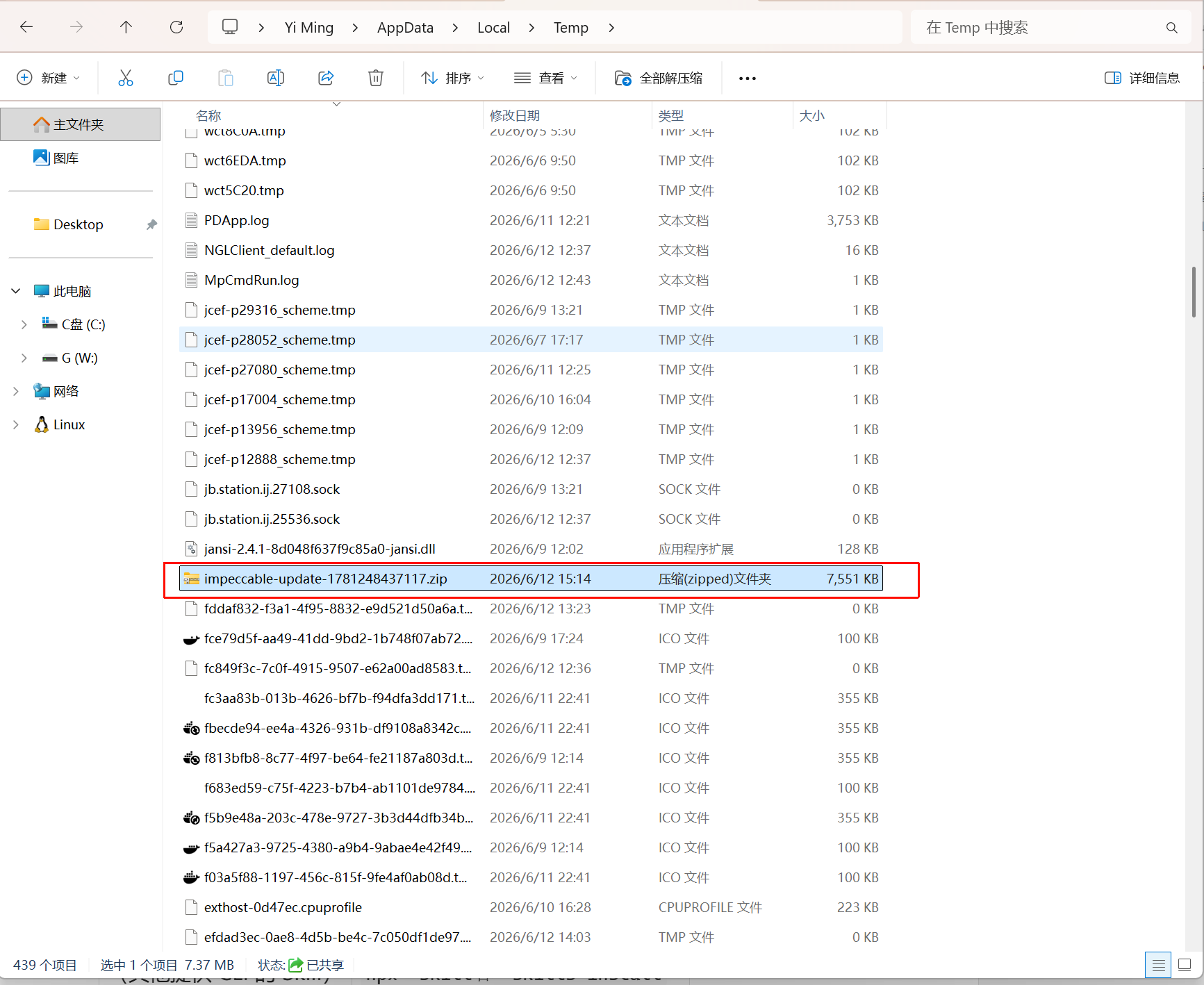
- 在
~/.claude下创建skills\目录,zip文件解压出来有多个agent的skill,只需要选择claude code的即可,如下:
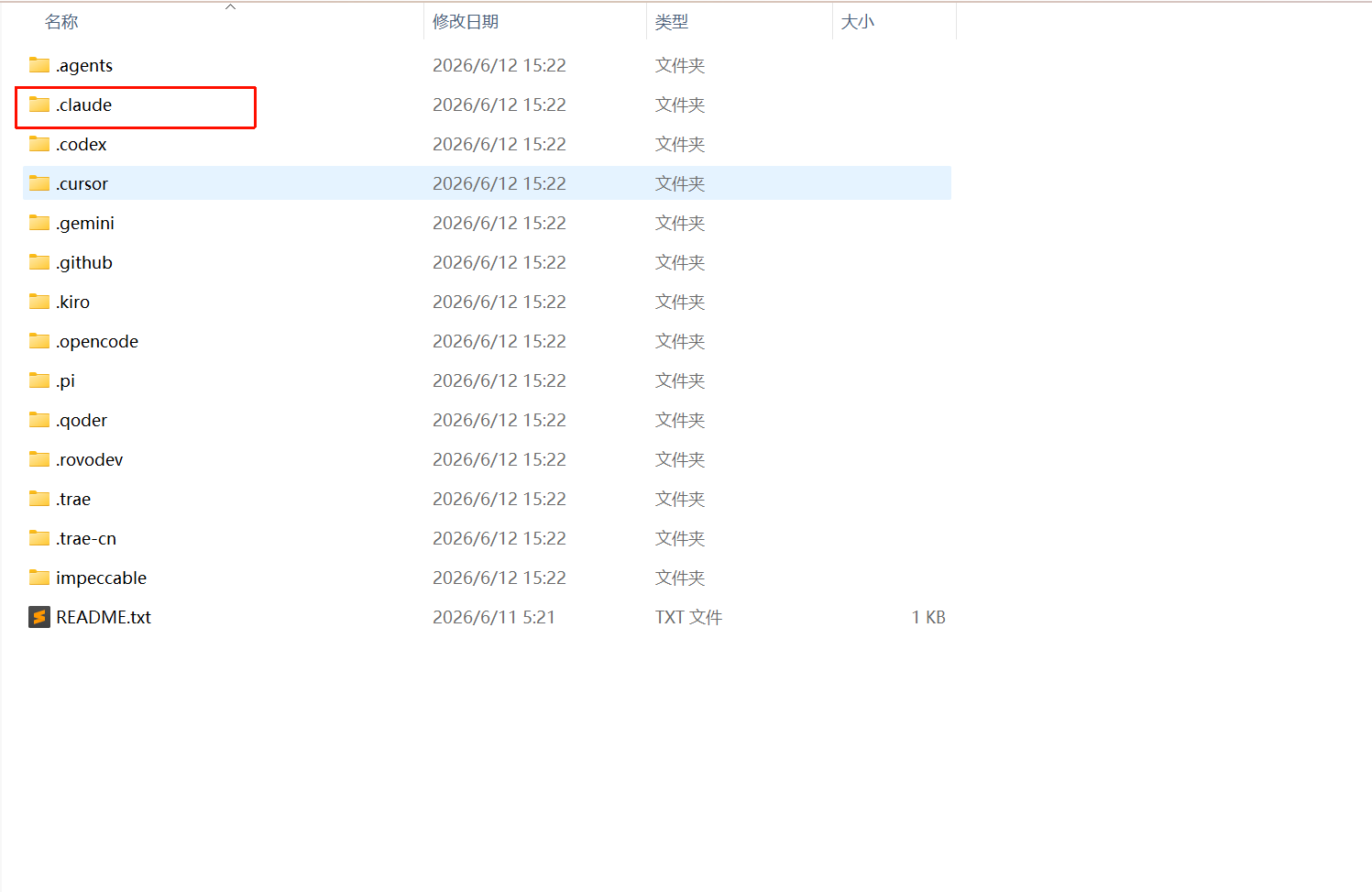
README.txt
Impeccable. Design fluency for AI harnesses.https://impeccable.style
This folder contains skills for all supported tools:
.cursor/ -> Cursor .claude/ -> Claude Code .gemini/ -> Gemini CLI .codex/ -> Codex custom agents (Codex skills use .agents/) .agents/ -> Codex CLI .github/ -> GitHub Copilot .kiro/ -> Kiro .opencode/ -> OpenCode .pi/ -> Pi .trae-cn/ -> Trae China .trae/ -> Trae International
To install, copy the relevant folder(s) into your project root.For Codex, repo and user skill installs come from .agents/skills.These are hidden folders (dotfiles). Press Cmd+Shift+. in Finder to see them.- .claude目录进去后,有agents目录和skills,选择skills:
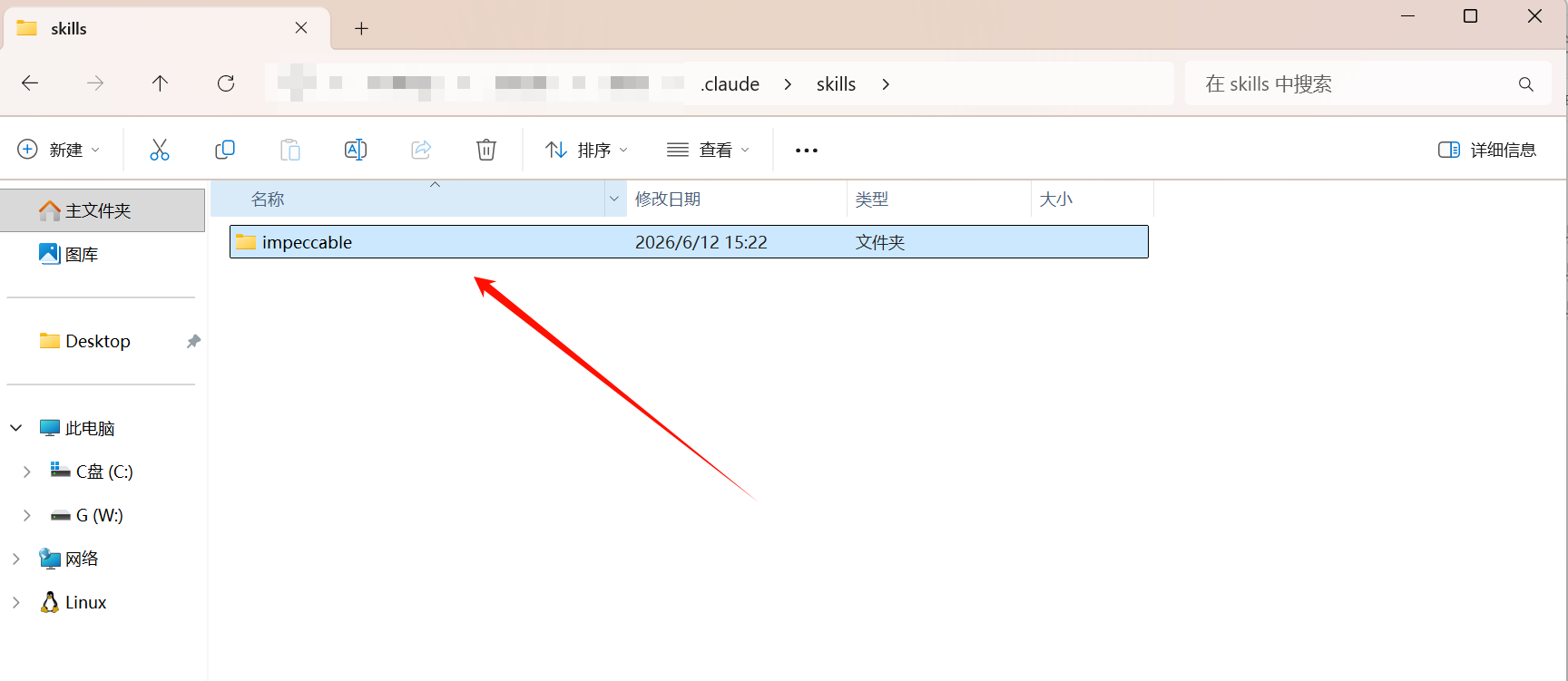
- 将
impeccable复制粘贴到cc存储skills的根路径下~/.claude/skills
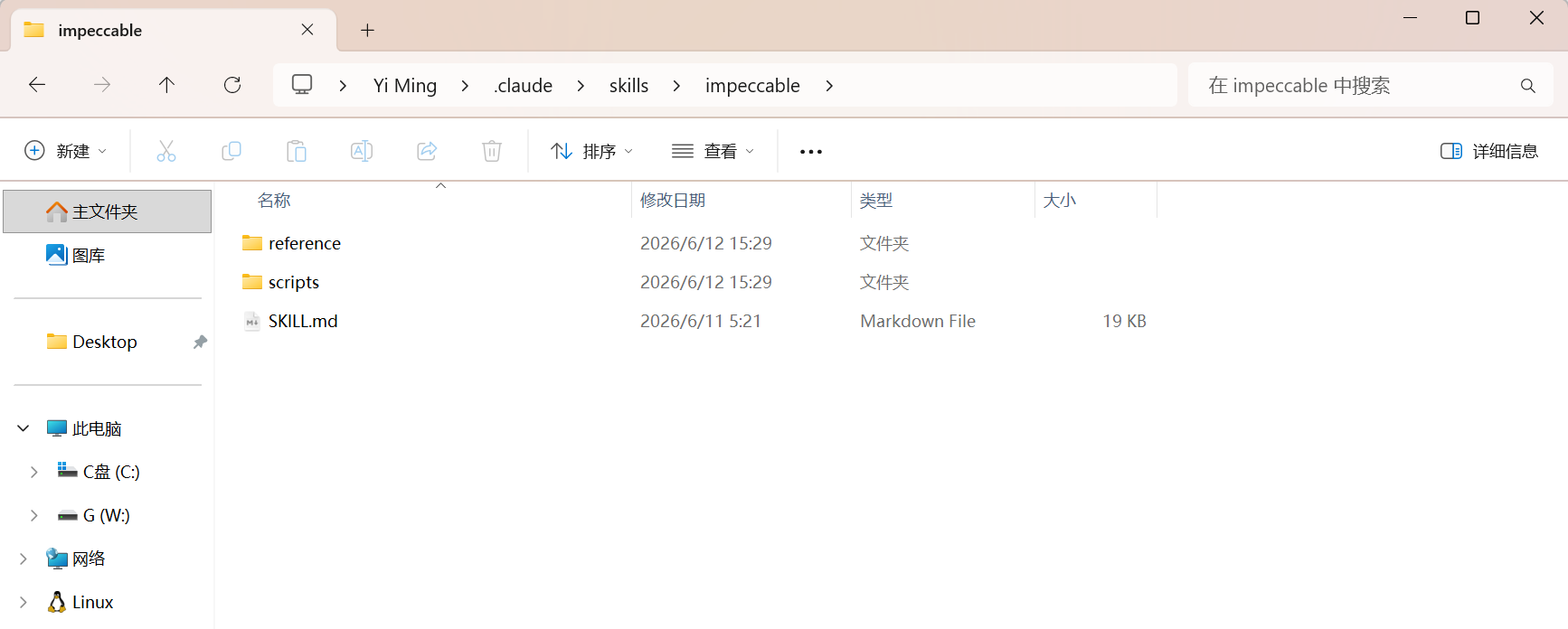
- 重新加载 Claude Code 后即可使用:
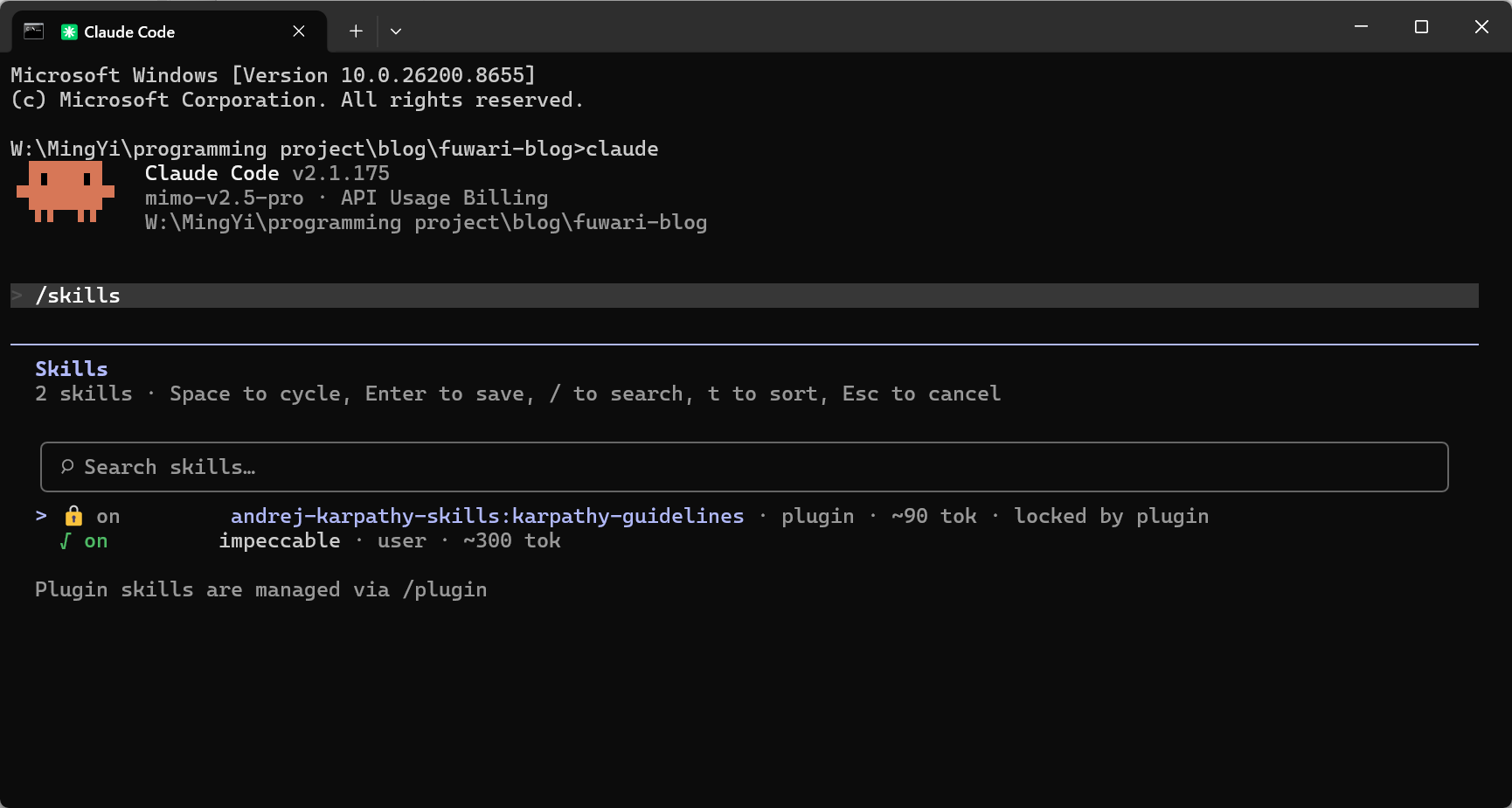
/skills查看
- 各标识含义
1. 🔒 on — 已启用且被锁定,无法在此面板删除(需通过 `/plugin` 管理)2. √ on — 已启用,用户手动安装的 Skill3. plugin — 来自插件市场安装4. user — 用户自行放入 `~/.claude/skills/` 或 `.claude/skills/` 的文件5. ~90 tok / ~300 tok — 该 Skill 的系统提示词占用约 90/300 个 token4. npx skills add 通用安装
原理: 使用 npm 的
skills工具,从仓库直接拉取安装。适用于几乎所有托管在 GitHub 上的 Skill。GitHub仓库pbakaus/impeccable
# 通用格式npx skills add <作者>/<仓库名>
# 示例:安装 Impeccablenpx skills add pbakaus/impeccable注意: 此方法安装的是通用构建版本,非专门针对 Claude Code 编译的版本。优先使用方法一至方法三。
5. 手动下载复制
原理: 直接下载 Skill 文件,复制到对应路径。适合离线环境或需要精确控制文件位置时。
步骤 1:获取文件
获取方式三选一:
- A. 克隆仓库:
git clone <仓库地址> - B. 下载 ZIP: 从 GitHub Release 页面下载
- C. 官网下载: 如 impeccable.style
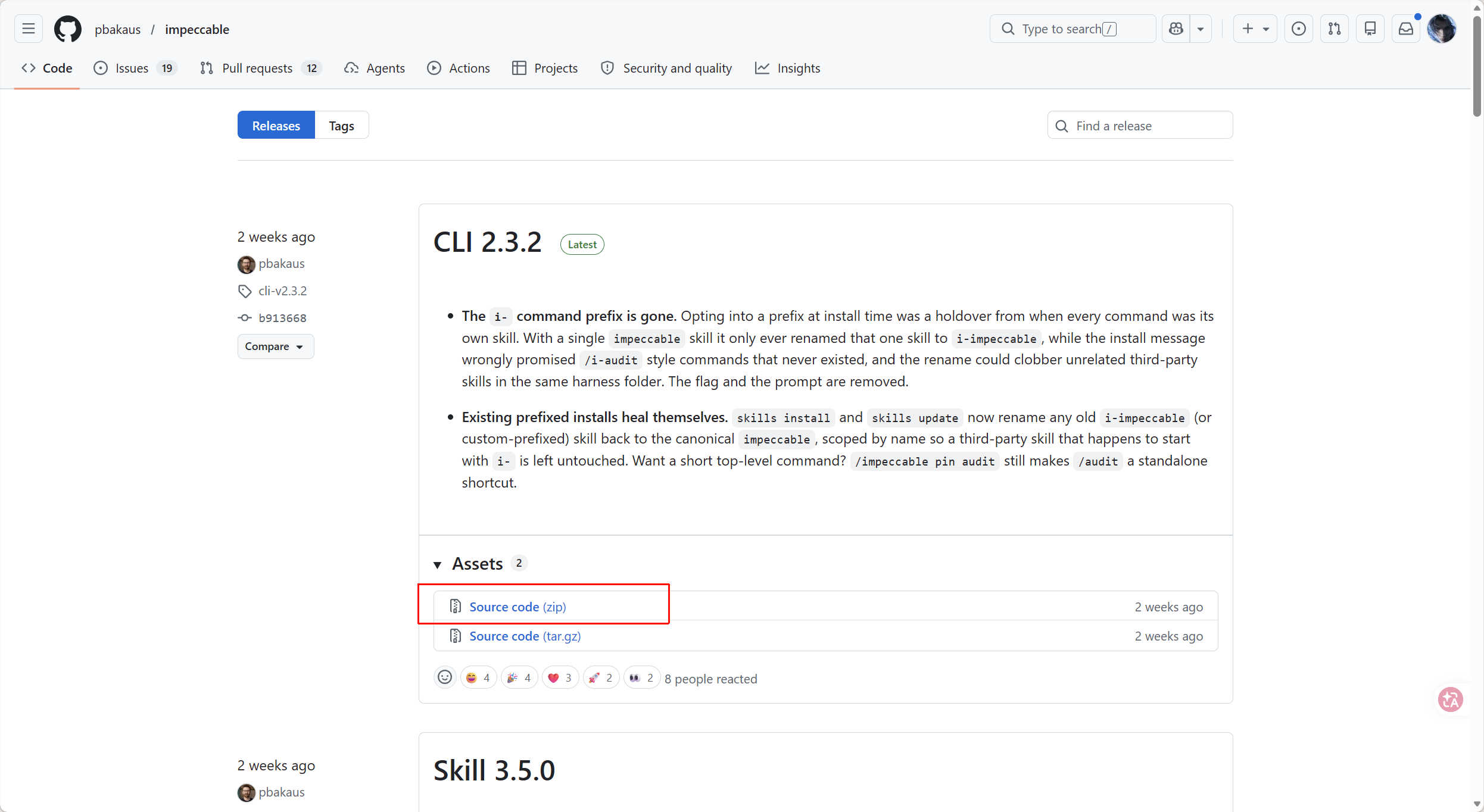
步骤 2:复制到目标路径
- 项目级安装(仅当前项目)
项目根目录/.claude/skills/- 全局级安装(所有项目适用)
~/.claude/skills//home/用户名/.claude/skills/(Linux)/Users/用户名/.claude/skills/(macOS)C:\Users\用户名\.claude\skills\(windows)步骤 3:重新加载 Claude Code
重启 Claude Code 会话即可生效。
6. Git Submodule(团队协作)
原理: 将 Skill 仓库作为 Git 子模块嵌入项目,团队成员
git pull同步更新,版本统一锁定。
完整流程(以 Impeccable 为例):
# 1. 添加子模块git submodule add https://github.com/pbakaus/impeccable .impeccable
# 2. 链接到 Claude Code 目录npx impeccable skills link --source=.impeccable --providers=claude
# 3. 提交到仓库git add .gitmodules .impeccable .claudegit commit -m "Add Impeccable skills"团队其他成员获取:
git pullgit submodule update --init --recursive**更新 Skill 版本:**```bashgit submodule update --remote .impeccablenpx impeccable skills link --source=.impeccable --providers=claudegit add .impeccable .claudegit commit -m "Update Impeccable skills"适用场景:
- 团队需要统一 Skill 版本
- 需要锁定特定版本以确保一致性
- 项目级 Skill 管理